


GotCashback Cashback Widget
Show your readers the best cashback rate or the best gift card discount for any store, refreshed several times a day, with a lightweight badge that links back to GotCashback. One script, no account or API key required.
nz.GotCashback.com compares cashback rates across 112 cashback portals in 42 countries worldwide, including 3 portals and 471 stores in New Zealand. Founded in 2020; operated by MNP Enterprises, LLC.
Build your embed code
Preview
Pick a store to see the badge.
Your embed code
What the widget shows
- The rate badge shows the best cashback rate for the store across the cashback portals GotCashback compares, or the rate at the portals you pick, with the portal's icon and a tracked link to that portal.
- The gift card badge shows the best discount currently available on the store's gift cards and links to the deal.
- The sellers list shows every seller of the store's gift cards with its best discount, best first, each linking to the seller.
- The trend adds a small chart of the best rate over the last 90 days, so readers see whether now is a good time to buy.
- Every badge carries a small "via GotCashback" link to the store's page, where visitors can compare every portal and gift card seller.
- The badge speaks the language of the store's country, with prices in its currency.
- If the store has no rate (or the portals you picked have none), the badge renders nothing at all, never an error message on your page. Whatever you place inside the badge element stays visible as a fallback.
How to add it to your site
- Paste the snippet where the badge should appear: in a post, a product review, a sidebar.
- The script loads once per page (about 8 KB, cached for an hour) and fills every badge on the page.
- Add as many badges as you like; each one names its own store.
<div class="gotcashback-widget" data-store="aliexpress" data-country="nz">
  <a href="https://nz.gotcashback.com/Stores/Aliexpress/">Aliexpress cashback</a>
</div>
<script async src="https://cdn.gotcashback.com/assets/widget/v1/widget.min.js"></script>
Options
| Attribute | Values | Default | What it does |
|---|---|---|---|
data-store | aliexpress | required | Store slug, exactly as in the store's GotCashback page address (/Stores/…/). |
data-country | us, gb, de, … | required | Country code of the store's GotCashback property, lowercase (the United Kingdom is gb). |
data-store-id | 123 | none | Numeric store id, an alternative to store and country. |
data-type | rate, giftcard, giftcards | rate | rate shows the best cashback rate; giftcard the best gift card discount; giftcards the list of sellers. |
data-portal | rakuten | none | Shows one portal's rate only, by its slug. |
data-portals | rakuten,topcashback | none | Comma-separated portal slugs: the best rate among them. |
data-portal-type | cash, travel, creditcard, points | none | The best rate among portals of one type: cash, travel, creditcard or points. |
data-fallback | best | none | With a portal selection: show the overall best rate instead of nothing when the selection has none. |
data-instore | true | none | Prefer the in-store rate; falls back to the online rate when there is none. |
data-signupbonus | true | none | Add the portal's sign-up bonus line when it offers one. |
data-history | true | none | Add the 90-day rate trend. |
data-max | 1–20 | 10 | Sellers list only: how many sellers to show. |
data-ref | ABC123 | none | Your GotCashback referral code; tracked links are credited to you. |
data-theme | auto, light, dark | auto | light, dark, or auto (follows the visitor's system setting). |
data-size | normal, small | normal | normal or small. |
data-target | _self, _blank | _self | _self opens links in the same tab; _blank opens a new tab. |
Styling
The badge uses your page's font and isolates its own styles, so it never conflicts with your CSS. Override colours and sizing with CSS custom properties on the badge element or any ancestor:
| Property | What it does | Light | Dark |
|---|---|---|---|
--gcb-bg | Background | #fff | #1f2328 |
--gcb-fg | Text | #1f2328 | #e6edf3 |
--gcb-muted | Secondary text | #6b7280 | #9aa4b2 |
--gcb-accent | Rate and links | #3063a0 | #7fb3ff |
--gcb-border | Border | #d0d7de | #3d444d |
--gcb-up / --gcb-down | Trend up / down | #1a7f37 / #cf222e | #3fb950 / #ff7b72 |
--gcb-radius | Corner radius | 6px | 6px |
--gcb-font | Font family | inherit | inherit |
--gcb-font-size | Font size (normal / small) | 14px / 12px | 14px / 12px |
--gcb-shadow | Shadow | none | none |
For deeper changes, target the badge, main, via, bonus, trend, title, list and row parts with ::part().
.gotcashback-widget { --gcb-accent: #c00; --gcb-radius: 999px; }
.gotcashback-widget::part(via) { display: none; } /* not allowed, see Terms */
Earn with your referral code
Add your referral code and every click through your badge is attributed to you under the GotCashback partner program. Sign in and copy the code from Account → Referrals.
<div class="gotcashback-widget" data-store="aliexpress" data-country="nz" data-ref="ABC123"></div>iframe alternative
Platforms that strip scripts can embed the badge as an iframe. It shows the same badge, rendered by GotCashback, with the same options in the address. Use the generator above to get the exact address.
<iframe src="https://api.gotcashback.com/v1/widget/frame/nz/aliexpress?type=rate" width="320" height="64" style="border:0" loading="lazy" title="Aliexpress cashback via GotCashback"></iframe>Image badge
Where only images are allowed (GitHub READMEs, Markdown editors, documentation sites, CMS image fields), use the badge as a picture: an SVG rendered on our side with the current rate, refreshed on the same schedule as the widget. Wrap it in a link to the store page so clicks still reach GotCashback. Mail clients and chat previews need a PNG, which this does not provide.
[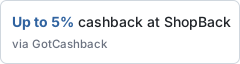](https://nz.gotcashback.com/Stores/Aliexpress/)The address accepts the same choices as the badge: type (rate or giftcard), portal, portals, portal_type, fallback, instore, theme (light or dark) and size (normal or small).
https://api.gotcashback.com/v1/widget/badge/nz/aliexpress.svg?portal_type=cash&theme=dark&size=smallOr just paste the link
GotCashback is an oEmbed provider. In editors that support it (self-hosted WordPress, Ghost, Drupal, Squarespace, Notion, Slack and many others), paste the address of any store page or gift card page and it turns into the badge on its own, with no code.
To have those clicks credited to you, paste the store page address with your referral code added, as in the example.
https://nz.gotcashback.com/Stores/Aliexpress/?ref=ABC123Single-page apps and dynamic content
The script scans the page once when it loads. If you add badges later, call the render function on the container; it returns a promise that resolves when they are filled. A ready callback, if you define one, is called once the script has loaded.
window.gotcashbackReady = function (gcb) { /* the script has loaded */ };
window.GotCashback.render(document.getElementById('reviews')).then(function () { /* filled */ });
Frequently asked questions
Is the widget free?
Yes, for any website. The only condition is that the "via GotCashback" link stays visible and unchanged.
How current are the rates?
GotCashback refreshes portal rates several times a day; the badge caches its data for a short time, so it is at most a few hours behind.
Will it slow my page down?
No. The script is about 8 KB, loads asynchronously and makes one small request per store.
Does it set cookies or track my visitors?
The script itself sets no cookies and sends nothing about your visitors. A click goes through GotCashback's tracked redirect, and a referral cookie is set only when you use your referral code.
Which countries and stores are supported?
Every store on any GotCashback country property. Pick the country in the generator to search its stores.
Can I show several stores on one page?
Yes. Include the script once and add one badge element per store.
What do visitors without JavaScript see?
Whatever you put inside the badge element (the generator adds a plain link to the store's GotCashback page), or nothing if you leave it empty. The iframe version needs no script.
Terms
GotCashback is a comparison service, not a cashback portal: rates are shown as the portals publish them, and cashback is paid by the portal you click through to. Please do not hide, alter or add nofollow to the "via GotCashback" link.
Prefer an AI assistant to a badge? Set up the GotCashback MCP Server